Category: Curious David

Curious David

Curious David Redux: Exploring Designrr as an Ebook Writing Tool


Today my new student assistant Kristen and I explored using Designrr as an ebook-writing tool.

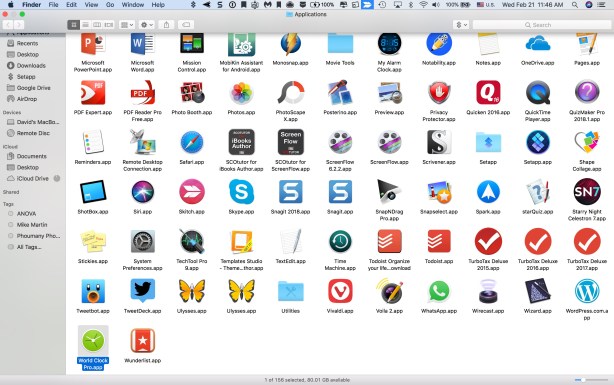
Here is what we were able to do. It is in a pdf format. Next, we shall master Lulu, CreateSpace, and Pressbooks.

Not bad for two freshmen  (one being me!)

Click the first link to take a look at what we are able so far to do. You will download a pdf.

Exploring+Different+E-book+Writing+Software_155752 (1)


Curious DavidPSY205SPSSStatistics

Curious David Redux: Everything You Forgot from My Statistics Class


Below is a first draft of an ebook I am writing with the able assistance of some Carroll students. Each hyperlink is a “module”. Thanks to Alison, Arianna, Tia, and Lizzy for helping me create this draft. I plan to “publish it” using for the first time Pressbooks.  I share it at this time welcoming feedback.

For the past 40 years I have taught a course called Statistics and Experimental Design required of Carroll Psychology majors. Here is a brief description of HOW I teach PSY205 (click the “HOW” link).

  1. Still Looking for ways to Improve Courses After 40 Years of Teaching (Part 1 of 2)
  2. Retooling and Sharpening the Saw
  3. What data analysis should I use (you need not enter your real name or email)?
  4. Teaching Tools: SPSS, inStat, starQuiz, Camtasia and Research Randomizer.
  5. On Engaging Students (Part 2): Adventures with StarQuiz and SPSS
  6. Learning by Teaching: Alison and Lizzy’s Guide to Using SPSS Data Analysis for Simple Linear Regression
  7. Two-way Between Subjects ANOVA Using SPSS (Part 1)
  8. Review of One-way Between Subjects ANOVA using SPSS
  9. t-Time: Three Short SPSS Screencasts for PSY205
  10. Something Old and Something New: A brief Introduction to Effect Size Statistics
Curious David

Curious David Redux: Links to My Favorite Learning Tools

Photo on 9-10-15 at 11.23 AM

Caveat Lector: This blog piece is laden with hypertext links that lead you to additional thoughts I have about these learning tools!

With the deadline for responding to Jane Hart’s annual list of top learning tools not until this summer, here are my present thoughts on my top technology learning tools:

Reading: I need tools that increases the likelihood of my being able to stay abreast of current events and aware of current research findings that I then can incorporate into my classes in an ongoing basis. Driving to school today while listening to NPR I was alerted to some research dealing with “nudging” individuals to buy more healthy foods by partitioning grocery carts. When my commute was temporarily blocked by a Waukesha train, I took the time to dictate into my cell phone that I should incorporate “nudging research” into my experimental social psychology class. I later added that particular NPR stream to my RSS reader/aggregator.  Though I have tried Feedly, I am presently using Inoreader.

I do a lot of online reading, (though I am convinced by Naomi Baron that the printed book has a bright future– Lego Ergo Sum) heeding and feeding my need to learn from Twitter (where I tend to follow a selective list of individuals who share or enlarge my interests), Facebook (where I maintain relationships with former students), and LinkedIn (which has some interesting capabilities for also keeping in touch with alumnae, Board of Trustees, and professional contacts).

Writing: I enjoy writing, and have investigated all of the writing tools on Jane’s list. I also have far-too-many writing (and other) apps on my far-too-many computers which I use across the day. My favorite journaling app of the moment is Day One. Its simplicity (and beauty) intrigues me and it motivates (nags) me to write. Of the six blogging pieces of software I have investigated I continue to use WordPress . It continues to teach me, and it gives me access to a number of individuals who write better than I. It is important to me that I learn from them. As I continue to try and reach out to non-English speaking audiences I am always looking for good language translation software that improves upon Google Translate.

Arithmetic: Among the courses I teach is “Statistics and Experimental Design.” I am also a partner of a consulting firm with Gregory K. Schneider and Jane Schneider. For data analysis purposes I use (and teach) SPSS, the Statistical Package for the Social Sciences though I follow very closely  the possibility of switching to something (which is as all encompassing but more user-friendly and which is open source) such as JASP.  For conducting surveys I teach and use SurveyMonkey.

Testing/ Quizzing: I continue to search for the ideal Testing/Quizzing tool. Though I have examined ProProfs Quizmaker and Quizlet,

Screen Casting: Of the many screen casting tools I have explored, I keep coming back to using Screenflow though I am determined to give Camtasia (both Mac and PC versions) a thorough examination this academic year. I’ve been able to use such software to incorporate into my Statistics classes supplemental tutorials on the use of SPSS.  I prefer using Vimeo to YouTube as an outlet for my video productions.

What tools do you use to augment YOUR learning capabilities? WHY do you favor them? What evidence do you have of their success—-or failure?

I welcome your thoughts.


AgingBrain health supplementsCurious David

Works in Progress (Part 2): Brain Health, ebooks, Learning LinkedIn and Research Assistant Development

Today I made considerable progress obtaining, reading, and vetting information about brain health issues. Thanks to Alvaro Fernandez at Sharpbrains.com for introducing me to the Truth in Advertising Organization (truthinadvertising.org) and the good work they do exposing false claims about memory enhancement supplements such as Prevagen.

I hope to pull all this information into one place in e-book format before I leave Carroll for the summer on May 13. One challenge I face is finding an easy way to convert WordPress files into Word or pdf format. Any solutions would be welcomed.


I am delighted that I shall have a 2nd talented student joining my research assistant team in the Fall.  Kristen has already successfully stepped into the shoes of Tia and Lizzie who are abandoning me for a better deal — graduate school. I need to remind myself that Kristen is “only” a freshman since she handles responsibilities so conscientiously, responsibly, and capably.

Here are Kristen’s thoughts about LinkedIn:…

Being only a freshman in college, I am progressively expanding my knowledge on how to successfully use different platforms. Dr. Simpson recently introduced me to a site called LinkedIn. Although I have heard of this networking platform in the past, I previously had no use for it. However, as I start to enter into adulthood, we thought it would be wise to start my profile this year. Dr. Simpson assisted me in the creation of my profile by sending me a video series on this platform called Learning LinkedIn for Students created by Oliver Schinkten.

Throughout this video series, Schinkten goes step-by-step on how students can successfully obtain a professional profile. He gives nice examples for the viewers on certain information employers look for in these profiles. He also gives the viewer tips on how to stand out from other users. Although this information is useful, there is copious amounts of information that he suggests that seem to be too detailed. If one wants to use LinkedIn as a resume, they should keep it simple and organized. It can also be difficult, especially as a freshman, to add skills onto one’s profile. Maybe adding some examples on what senior high schooler/college freshman could have on their profile.

            Overall, I thought this video series was a good starting point for students who want to start their job networking. Schinkten gives a nice overview of the website and gives clear directions on how to add, edit, and use this platform. Even though some of the information he suggests can be quite detailed, Schinkten does give a nice overview of the platform. Not only does he give clear directions on how to use the platform, but also in how a student can successfully use this professional site for seeking future jobs.  

Curious David

Works in Progress…

With Kristen by my side evaluating evaluating Oliver Schinkten’s recent excellent LinkedIn for Students Course, I am pulling together materials for a series of articles about

  • how to evaluate “brain fitness” supplement claims (cocoanut oil anyone)?
  • brain health maintenance guidelines (e.g. the Global Council on Brain Health Guidelines documented here)
  • and reviewing all I learned from last semester’s Research seminar in case I get the enrollment I need to teach it again in the Fall.

First I need to clean my desk and sharpen some pencils!


Curious David

Linking in to Brain Health: 5 Brain Enriching Resources


As I continue my investigations and writing about brain health and brain training, I am interested in “vetting” resources that I think are best evidence-based, rich in fact, and readable. Here are five current favorite resource links.

  1. Harvard Medical School Guide to Cognitive Fitness
  2. Alzheimer’s Association Articles
  3. Dr. Michelle Braun’s insights (also visit her Psychology Today blogs and her web page): 
  4. A recent Oprah wellness presentation
  5. National Institute of Health/ Aging Resources
App GenerationCurious David

What are Your Favorite Apps? Why?


I am in the process of deleting apps which are merely cluttering space on my iPhone and iPads. I hope to replace them with those which my students, colleagues, and alumni friends contend are “must haves.” I recognize that what may be considered essential for a nineteen-year-old may differ from that chosen by a sexagenarian!

As a first step I asked my first-year assistant, Kristen R. to share with me her favorite iPhone apps. Here is what she taught me.

Favorite Apps

Twitter

Most of the time, I use Twitter as an entertainment. From funny videos to relatable posts, this app never fails in making me laugh. My friends and I love sharing this funny content by easily tagging each other on these posts. Although Twitter can be quite entertaining, it can also be used as a source of current worldwide news. On this app, I follow many reliable accounts (news networks) that provide the same information one would see on TV. I can also follow different individuals, like Elon Musk, who are posting updates on how they are changing history.

Grammarly

Whenever I write an email or post something on social media, I want to be perceived as a professional individual. This app gives me the ability to do this by checking over my grammar. This gives me the opportunity to correctly revise my written work and apply it to my future pieces.

Mr. Number

Before I had this app, I was receiving countless spam phone calls every day from all over the world. It seemed like a never-ending nightmare. However, when I downloaded this free app, this problem drastically decreased. This is due to Mr. Number frequently updating; providing current protection from evolving spam. It also provides features that include caller ID, ability to block, and reveals the amount of reported spam on that certain number.

The Weather Channel

Although my phone already has this kind of application, Wisconsin’s weather is always unpredictable. The Weather Channel app provides this in-depth of view of the current predicted weather. It has features that include, but not limited to, the radar, wind-chill, temperature, hourly and daily predictions, and health and activity reports. Due to all of these features, I frequently use this app more than the one my phone provided for me.

The Guides Axiom

When I am not constantly on social media, I am trying to solve this difficult puzzle. The Guides Axiom is an app that consists of challenging intertwined levels that lead to solving one big puzzle (the whole app). The levels, however, do not go in order which makes it even more difficult to solve the app. It can be frustrating at times; however, I enjoy testing my problem-solving skills.

What Ipad Apps should all college and university students be familiar with? I posed that question to my student research team a few years ago and here are the responses they shared with me on Google Drive. What MUST-HAVE apps are they missing? Which apps in your experience are most useful for College/University students? What makes them useful to enhancing student success? Are these tools equally useful to faculty?

Here is the wisdom of one of my seniors, Lizzy,  (shared when she was a junior).

image11

Apps I use as a College Student – Lizzy Hoehnke

Pinterest:

Pros: Allows one to find new and creative recipes, crafts, fashion ideas, hair ideas, make up tutorials, cleaning ideas, etc. They offer the websites and allows one to save it to their profile and in a certain sub category for future use. In addition, it helps someone find deals on items that could be costly, such as bridesmaid dresses, shoes, flowers, craft supplies, etc. People are able to connect with others as well as that; they may or may not know and be able to see their pages (if not on a privacy setting) for ideas and to see their interest.

Con: Some of the posts that are still up on the site are not available anymore for others to use or have become extinct.

Snapchat:

Pros: There are different filters that one is able to use on their photos to show more colors, in black and white, or add where they are from, the time, etc. Snapchat allows people to add filters on their faces of possibly being a dog, a hamster, an old person, with a flower crown, with a lot of makeup, etc. One is able to use these filters with friends as well. People are able to message each other over the app as well as send past pictures they have taken and video chat each other. Another feature, is that Snapchat has a memories folder at the bottom of the app that saves all the pictures or videos you have taken on the app. One is able to delete the memory if they wish or save it to their pictures on their phone settings. Also, if a person wants to screen shot a picture on someone else’s story of them and that friend so they are able to keep it for themselves, they are able to do so.

Cons: Past messages people send to others will delete instantly, so if one forgets what they had said then they will have to ask the other person what they had said or try to remember. In addition, the video chat aspect of the app is difficult to work and takes time to understand it.

Facebook:

Pros: People are able to make many connection with others, get news updates on what is going on in the world, see stories of what is happening in people’s personal lives, see photos and updates as well as add your own photos and updates. One is able to post on people’s profiles, comment on people’s post, like, love, laugh, cry, etc. at other people’s videos and pictures. Able to connect with people from their past as well as people from across the world. Allowed to tag people in a post that makes you think of somebody.

Con: have to upload another app that allows one to message people. It takes up space on your phone, which causes you to have less storage for other apps.

Instagram:

Pros: People are able to cross-reference their post from Instagram to Facebook, Twitter, etc. Instagram allows people to add more filters on their pictures and update the lighting, color contrast, etc. Able to tag people in photos as well as others. Are able to add websites onto your pictures and add stories that allow people to swipe up and go to a different page, such as YouTube. Able to message others and cross-reference a picture on Instagram or a meme.

Cons: Are only able to upload pictures.

Associated Mobile Banking:

Pros: Do not have to go to the bank to check my balance, able to make transfers on my phone, able to call customer care right away and are able to deposit checks off the app, and paying your credit card balance.

Cons: are not able to deposit money on the app, so still have to go to the bank or an ATM of theirs now to deposit cash.

Marcus Movie App:

Pros: Allows me to see what movies are out for the next few days, see the pre sales of the movie before driving all the way there and finding out it is sold out, seeing what the movie times are for the day to plan accordingly with your day, and are able to buy the tickets online if needed.

Cons: are not able to use special passes through the app if you have a free movie pass or something of that source.

Yahoo Mail App:

Pros: Allows me to see my emails right away without logging in to the website. Able to delete emails or star emails right away that I need. Able to move my emails to folders very easily and see updates if needed.

Cons: Slow when deleting emails and sometimes will not refresh.

Too many APPS. Too little time to master them. I’ve struggled with this issue before.

Here (read me) and here and here and here:). I decided to consult with some members of what Howard Gardiner referred to as the “APP Generation”. Here is what several of my other student assistants told me over the past couple of years are “must-have” apps for college/university students.

Tia writes :

As a college student, having access to multiple apps on my smart phone helps make me a more efficient learner by staying organized. The apps I use academically are Gmail, Safari, Notepad, and Calendar. Each of these apps helps me stay on top of all my homework with the heavy course load I have this semester. I use my Gmail frequently on my smart phone because it is faster to check my email from here rather than logging on to my laptop and waiting for the slow Carroll wifi to start up. Instead of a five to seven minute process, I can have my email checked within seconds of opening the app. When I am not able to use my laptop, the Safari app is very convenient when I need to Google a quick question I have. Also, I use the Notepad app when I do not have a pencil or my agenda book to write down my assignments or meetings I have with my professors. This helps me to remain organized and on top of all my assignments, especially now with a month left in the semester. Lastly, I use the Calendar app to put in important dates such as exam dates, final exam dates, or study sessions for a certain course. All of these keep me organized, and I always have them in the palm of my hand.

As a college student, the social life is just as important as the academic life. Some apps I use when I am not studying are Facebook, Twitter, Instagram, and Snapchat. All of these apps help me stay connected with my friends from other schools, my friends at Carroll, as well as my family members all over the United States. Having multiple forms of staying in contact with these people helps with maintaining social supports, which is extremely important towards the end of the semester when stress is at an all time high. One more app I use is Two-Dots, which is just a random game. It’s a puzzle game kind of like Candy Crush. I play this game in between studying different material to give my mind a little break.

All in all, these are the apps I use on a day to day basis to stay caught up with my social life as well as staying organized academically.

Arianna tells me:

Much like most 20 year olds, I have a smartphone. With a smartphone comes several apps, but which of those apps are a must have? And which must have apps are we missing out on, requiring us to download?

Well, in my opinion, there are eight must have apps. Those apps include Gmail, Reminders, Notes, Safari, Calculator, Find iPhone, Maps, and Camera. As a college student having my Gmail and student email linked straight to my cell phone is a necessity. It allows me to easily stay in contact with professors and students, never showing up to a canceled class, easily noting changes to the syllabus, or getting missed information. Reminders and Notes have saved my life on a number of occasions. I tend to forget things rather often, and rather quickly, thus, being able to set a reminder for a day, a week, or a month from now and being able to create to do lists or grocery lists right on my cell phone has changed my life. I doubt I am alone when I say there are times I cannot think of a word or need information quickly but am on the run, well, that is where Safari comes in use. Being able to quickly surf the internet wherever I am has brought ease to my day to day life. I am able to quickly google anything I would like, especially useful when I am doing my homework far from a computer and need to research a topic or look up an unfamiliar word. The fifth App I find to be a must have is the Calculator. Although most of us can do basic mathematical operations, it is very nice to take the lazy route and calculate out things such as tip money, how much money you will be making this month, or the discounted price that will be applied to the bill you have from shopping online. Find iPhone is an app I have not yet had to use, knock on wood, but I see the potential it has. Should someone be missing, should someone’s iOS device/Mac be stolen, or should you just have misplaced your iPhone, Find iPhone uses remote location-tracking to locate them. Maps, much like the Calculator, is not entirely necessary if you prefer the old school way of paper maps. However, unfamiliar with such resources, I whole heartedly approved of the Maps app. In fact, my first few times driving to and from Carroll University I had to use Maps in order to ensure I would not get lost. In my opinion, if you are alone, Maps is a safer way to travel than a paper map, as Siri will tell you exactly when to turn, which exits to take, and so on, without you ever having to take your eyes off of the road. The last app I find to fall under the “must have” category is the Camera. Recently I traveled to Italy and, of course, I brought my cell phone. Having a feature like the Camera directly on my cell phone made it so I had one less thing to carry on all of my excursions, rather nice when you are backpacking for 10+ miles a day.

For me, these are must have apps, but, depending on the person and his or her day to day life, must have apps could vary wildly. So what are your must-haves?


alumniCurious David

The Wisdom (and Freshness) of Freshmen

As I continue the process of winding up and winding down and sorting through 40 years of files, photos, and memories, I have rediscovered a lot of things — like a Hinakaga yearbook photo from 1984 of my two quarter-of-a-century departmental colleagues Virginia and Ralph Parsons. Thank you Ralph and Ginny for sharing your wisdom with me during my “freshman” faculty years.


Four years ago, I wrote the following blog piece in an open letter to the Freshman class of 2018, many of who will be graduating in less than 50 days. I shared this with one of my first-year students, Kristen (whose mother attended Carroll and whose aunt was my research assistant). Here is what I wrote four years ago:

Dear First-year Student,

I may not meet you for a while since I am not teaching first-year courses as often as I used to. I do offer you a heartfelt welcome.  You may well be the son or daughter or niece or nephew of one of my former students. That happens a lot.

First-year students have played a very important positive role in my life during my 36+ years of teaching here. You have made me smile, motivated me to learn from your enthusiasm, made me proud as I have seen you grow across your years here, and made me especially happy when we have been able to stay in touch across the years.

You sometimes have been favorably referred to as “the App Generation.” Don’t forget that your best apps are your values and your mind. You, the Class of 2018, do have very different life experiences than I. I look forward to learning from you and with you–if not directly this year, then in subsequent years. Do drop by and say hello in the interim.

Here are a few friendly suggestions I offer based on my years of teaching and learning.

Don’t be too proud to seek help or advice from faculty, staff, administrators, and older students here–especially those who know the campus and our students well.

Take advantage of opportunities to try new things, to meet new people (especially from different cultures) and to learn how to learn better. Let us become a global choir of learning.

Research suggests that the quality of relationships (e.g. with peers, with faculty)  is central to a positive, successful college experience.

Set aside some time for self-reflection.

Let  self-discipline enable you rather than imprison you, find the right balance between service and involuntary servitude, between doing a right thing and doing things right. My own freshman year at Oberlin College in 1967 was informative and formative, lonely and elating, value challenging and values affirming. I envy you the learning opportunities that are here.

The last time I taught a first-year seminar (dealing with Internet Learning tools) I asked freshmen to reflect upon their freshman year–and I returned their paper to them when they were seniors. I asked Kristen to share her experiences during her first year at Carroll. Here are her thoughts:

As I start to wrap up my freshman year at Carroll University, Dr. Simpson suggested that I take the time to step back from my busy schedule and reflect on my first year of college.

One of the main things I noticed right away about college was the improved maturity in my peers. In my first semester, I was astonished to see how everyone treated each other with kindness and respect. Not only this, but you can tell the students at this university want to engage in the subject. Even when the content is not pertaining to their major, they still take the subject seriously.

Originally, I thought that taking classes that were not pertaining to my major were a waste of time. However, after taking multiple general education classes, I realized the value of them. One of my favorite classes that I took at Carroll was called Music of the Movies. It was very insightful and focused on how movies and culture changed overtime. I can definitely see how these general education courses can help students who do not know what do to in the future. These classes have helped challenge me in becoming a better overall student and person.

Working with a professor has also challenged me in ways my classes never have. To be able to work with someone who is knowledgeable in my field of study is an incredible unique opportunity. I have not only learned more about my field of study, but I am also challenged in ways I never thought before.

I can also tell I have changed as an individual. Throughout my high school career, I was extremely shy and had a lack of confidence in myself. I would rarely ask for help from my teachers. Although I still struggle with my confidence at times, I am, however, more talkative with my peers and professors. I also contribute in more classroom conversations and never hesitate to ask for help when needed.

Throughout this first year, I have learned more about myself than ever before. Although it can be quite difficult at times to balance between education and sanity, overall, I find college to be an unexpected enlightening experience.

ArtCurious David

Shall I Visit the Netherlands – Wat stel je dat ik doe?


One of my greatest regrets is that over the past forty years teaching here at Carroll I have failed to take advantage of opportunities to take students abroad. My own such personal experiences (Spain and Portugal for a few weeks while attending Howland High School; Guanajuato, Mexico for a 6 weeks while an undergraduate at Oberlin College; 6 months in Bergen, Norway while a graduate student at The Ohio State University) were formative and informative. Fortunately I’ve been blessed with students, friends, relatives, and colleagues whose home is abroad. Hopefully upon retiring Debbie and I will do some international traveling.

Where should we travel? Our passports are in hand; we used them traveling through Canada last summer on our way to the Cooperstown Baseball Hall of Fame induction ceremony. We have friends and relatives in Russia, Switzerland and the United Kingdom. I am of Scottish heritage and becoming increasingly interested in genealogy.

Recently the Netherlands has been sending me signals that perhaps I should visit there. I’ve already checked it out on by following a Dutch news feed!

And there are fascinating engaged friends there!

And talented artists like Saskia SE de Rooy have even come to Carroll reminding me about the beauty in life. My portrait sculpture done by the talented Carroll student artist Ashley Goetz under the tutelage of Saskia will be among those displayed in April.

Perhaps I also would attempt to visit Diederick Stapel who has given me so much to think about.

Or look at the museum pieces of the artist Godfried Schalken that Google’s app said my selfie 67% matched.

Debbie ALMOST bought some wooden shoes when we were in Holland, Michigan last summer.

Maybe we should go get the genuine article from the Netherlands.


We had to hurry back to attend an important tea-party at North Lake, an important annual event. North Lake living is like living in Neverland. It helps me not grow up and keeps me laughing.


Wat stel je dat ik doe?


Curious DavidVimeoYouTube

Experimenting with Screen Casting: 2009 – 2018

As I continue to “declutter,” refocus, and wind up and wind down, I  (re)discovered over 50 screen casts my students and I made and stored on Vimeo or YouTube. At the time I just was learning about Jane Hart’s technology learning tools, and I was experimenting with screen casting as a teaching/learning tool. Here is a hodgepodge of those earlier productions that might be of interest to alumni or, especially, to former and present student assistants. I may use the footage in an e-book examining the relative strengths and weaknesses of iMovie, Capto, Screenflow, Camtasia and “TOBenamed later”.


Robin the Newf taught me so much—as does Leo the Great.